SVG in Gaming Design: A Process-Oriented Guide for Modern Creators
For designers, developers, and creators building assets for digital games, the choice of file formats isn't a trivial decision. It's a strategic part of the workflow that impacts every stage of development, from early concept art to final implementation and marketing. Among these formats, Scalable Vector Graphics, or SVG, holds a unique and increasingly vital position. Understanding SVG in gaming design means understanding how to work efficiently, maintain quality, and ensure assets are adaptable across the entire project lifecycle.
The Role of SVG in the Gaming Design Pipeline
SVG is a vector-based image format defined by XML code. Unlike raster images made of pixels, vectors are built from mathematical paths, allowing them to be scaled to any size without losing quality. In the context of gaming design, this property is foundational. Consider the workflow: a game's visual assets must often appear across multiple resolutions—from mobile screens to high-definition desktop monitors and even large-scale promotional banners. A character icon, UI element, or logo created as an SVG file can be seamlessly enlarged or reduced, ensuring crisp edges and perfect clarity at every size. This eliminates the need to create multiple raster versions of the same asset at different dimensions, a common and time-consuming task in traditional pipelines.
SVG integration typically occurs early in the creative process. Concept artists and UI/UX designers might draft interfaces, icons, and stylized artwork directly in vector-based software like Adobe Illustrator or Figma, which can export directly to SVG. These files then become the master assets. They are not usually the final format rendered in a game engine for complex 3D models or textured environments, but they are indispensable for all 2D graphic elements. This includes menus, HUD components, map symbols, decals, and in-game typography. Using SVG here establishes a single, high-quality source file, promoting consistency and streamlining later stages of asset deployment.
Practical Implementation and Workflow Integration
Integrating SVG smoothly requires consideration of your entire toolkit. Modern game engines like Unity and Unreal Engine have robust support for importing SVG files, often converting them into textured meshes or sprite assets at import. Web-based and HTML5 games can utilize SVG natively, as the format is supported directly by browsers, leading to efficient loading and dynamic manipulation with CSS and JavaScript. This allows for real-time animation of game elements—like a health bar that smoothly shrinks or an icon that rotates—without requiring multiple image frames.
Your workflow should account for preparation and organization. Name your SVG source files logically and maintain a well-structured directory, as these will be your primary references. Because SVGs are text-based, they can be optimized by removing unnecessary metadata, which reduces file size—a critical factor for game performance, especially on web platforms. Furthermore, their XML structure allows for easy customization; developers can programmatically change colors or hide certain elements based on game states, adding a layer of dynamic control that static PNGs cannot offer.
Exporting and Multi-Format Use for Broad Application
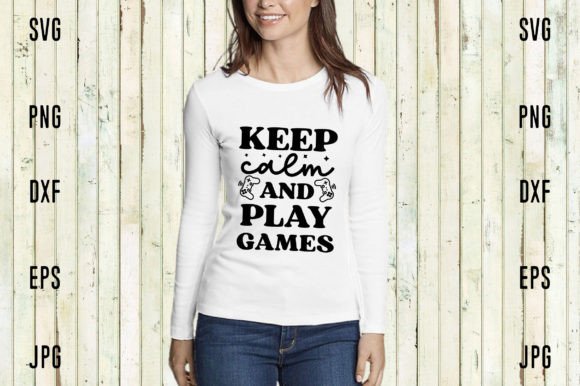
A crucial part of the process is the derivation of other necessary formats from your master SVG files. When you download a comprehensive product like a gaming design asset pack, you typically receive multiple derivatives of the core SVG design. Each format serves a distinct purpose within the broader project and its peripheral needs.
- SVG is your primary, scalable source file for in-game use and future edits.
- PNG with a transparent background is a ready-to-use raster version. It's universally compatible across all software and engines, ideal for quick placement when a raster is required, or for use in contexts where vector support isn't available.
- PNG at 300dpi High Resolution is specifically tailored for print and high-quality digital marketing. This version is used for promotional materials, merchandise designs, physical packaging, and any application requiring print-ready, detailed imagery.
- EPS is another vector format, often used as an alternative for professional print workflows and compatibility with certain legacy design systems.
- PDF provides a packaged, document-friendly version, excellent for sharing portfolios, style guides, or asset catalogs with clients or team members in a universally viewable format.
- JPG offers a compressed raster file with a white background, suitable for web previews, internal documentation, or situations where transparency is not needed and smaller file size is a priority.
This multi-format bundle directly supports a process-oriented approach. From the single SVG source, you have assets prepared for every phase: development (SVG, PNG), marketing (high-res PNG, PDF, JPG), and collaboration (PDF, EPS). This eliminates format conversion as a bottleneck, allowing you to focus on implementation rather than asset preparation.
Quality Control and Long-Term Asset Management
Using SVG as a cornerstone enhances long-term project quality and efficiency. Since vectors are resolution-independent, you avoid the quality degradation that comes from upscaling low-res raster images later in a project—a common issue when a game is ported to a platform with higher display resolutions. Consistency is also easier to maintain; color schemes and shapes are defined precisely in the SVG code, ensuring that all exported raster versions match perfectly.
For teams, this approach centralizes control. The SVG file is the definitive asset. Any changes—a color tweak, a shape adjustment—are made once in the SVG, and then all derivative formats (PNG, PDF, etc.) can be regenerated. This is far more efficient than manually editing multiple separate raster files and ensures brand and design consistency across the game, its website, and all promotional materials. It also makes asset libraries more manageable and future-proof. As display technologies evolve, your core vector assets remain ready to scale to next-generation pixel densities.
Key Considerations for a Smooth Process
To successfully adopt this SVG-centric workflow, keep a few practical observations in mind. First, understand the limitations: SVG is not suited for photorealistic imagery or complex textures. It is perfect for logos, icons, flat designs, and stylized artwork. Second, ensure your team's software is compatible. Most modern design tools handle SVG flawlessly, but verify any legacy systems. Third, implement a clear naming and versioning convention for your source SVG files and their exported children. A structure like "asset_name_source.svg" and "asset_name_print_300dpi.png" prevents confusion and speeds up retrieval.
Finally, think about your entire output pipeline. When you create or purchase a gaming design asset bundle, having the SVG alongside its PNG, EPS, PDF, and JPG derivatives means you are equipped for every task. The SVG is your flexible tool for development and future iteration. The high-resolution PNG is your go-to for any high-quality visual output outside the game engine. The PDF facilitates review and approval. By organizing your workflow around this multi-format, source-first approach, you build a more resilient, efficient, and professional game development process.
Embracing SVG in gaming design is ultimately about embracing a smarter workflow. It shifts the focus from repetitive asset generation to strategic asset management. By starting with a robust, scalable vector source and utilizing its carefully prepared derivative formats, creators and teams can ensure their visual work remains crisp, consistent, and adaptable from the first sketch to the final launch and beyond.