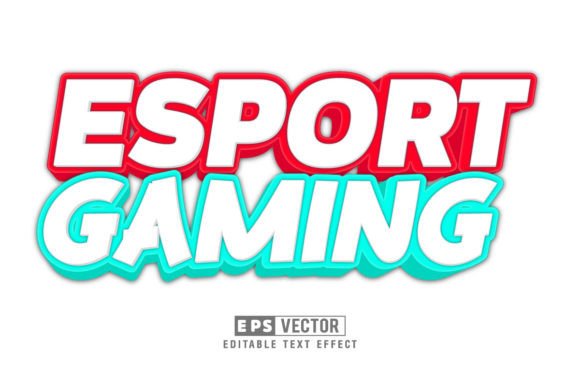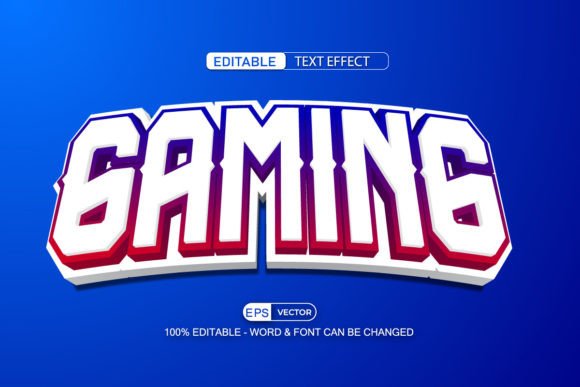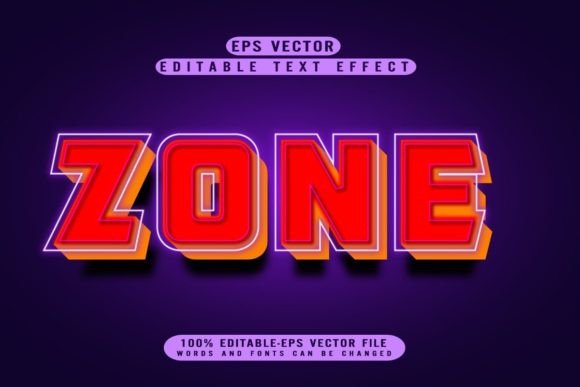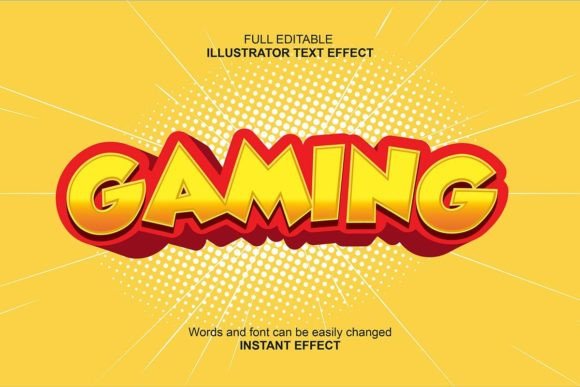
Level Up Your Graphics: The 3D Red Gaming Text Effect Explained
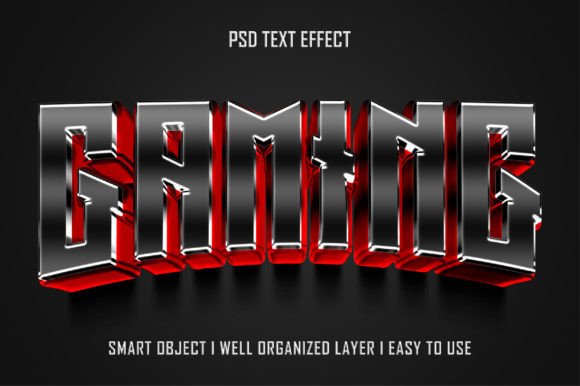
In the competitive world of digital design, especially within the vibrant gaming and esports community, standing out is half the battle. Your logos, banners, promotional materials, and social media graphics need to pop with energy and style. For designers, creators, and content makers looking for that signature, fiery edge, a professionally crafted text effect can be a game-changer. The 3D Red Gaming Editable Text Effect PSD is precisely that kind of resource—a powerful, ready-to-use tool designed to inject high-quality visual impact into your projects with minimal effort.
What Makes This Text Effect So Useful?
At its core, this graphic file is a Photoshop (PSD) template. But calling it just a template undersells its clever design. The real magic lies in how it’s constructed. Instead of a flat, static image of red 3D text, it’s a fully layered and intelligent file where the stylish text is not permanent. It’s editable. You can replace the demo text with your own words—your team name, event title, channel branding—and the sophisticated 3D effect, the glossy red finish, the dramatic shadows, all seamlessly apply to your new text. This transforms it from a single-use image into a reusable style asset for your entire brand.
The Smart Object: Your Gateway to Easy Editing
The phrase “Smart Objects” might sound technical, but it’s the feature that makes the 3D Red Gaming Editable Text Effect PSD so incredibly user-friendly. In this file, the text you see isn’t directly on the main canvas. It’s housed inside a special container called a Smart Object. To edit it, you simply double-click that layer in Photoshop. A new window opens showing just the text. You type in your own message, save that window, and close it. Instantly, back in the main file, your new words now wear the full, high-quality 3D red style. No need to manually recreate lighting, depth, or texture. It’s like changing the ingredient inside a pre-made, perfect mold.
This process is a massive time-saver. Imagine needing a series of graphics for a tournament: “QUALIFIERS,” “SEMI-FINAL,” “CHAMPIONSHIP.” With a traditional method, you’d have to painstakingly rebuild the effect for each title. With this PSD, you open the same file three times, double-click the smart object, change the word, save—and you have three perfectly consistent, professionally styled graphics in minutes.
Key Features That Benefit Your Workflow
Beyond the smart editing system, this resource is built with practical considerations that matter to anyone working in Photoshop, from seasoned pros to enthusiastic beginners.
- High Resolution: The output is crisp and clear, suitable for both large prints (like posters or booth banners) and detailed digital use (YouTube thumbnails, website headers). You won’t get a blurry or pixelated result when you scale it up.
- Well Organized Layers: The Photoshop file isn’t a chaotic mess of hundreds of unnamed layers. It’s structured logically. Background elements, effects, shadows, and the crucial text smart object are separated and clearly labeled. This makes customization beyond the text possible. You might want to tweak the background color or adjust the intensity of a shadow—the organized layers give you that control without confusion.
- 100% Editable: This isn’t a locked-down image. Every component that defines the look is editable. The color of the 3D effect can be adjusted if you want a deeper crimson or a brighter scarlet. The lighting angle can be modified. This flexibility ensures the effect can adapt to your specific project’s mood, even while maintaining its core gaming-ready aesthetic.
Where Does This Fit Into Modern Design Projects?
The application of the 3D Red Gaming Editable Text Effect PSD is broad because the “gaming” style it embodies has permeated many areas of contemporary visual culture. The bold, three-dimensional, and often red-centric look communicates energy, competition, passion, and high-tech excitement.
It’s a natural fit for, of course, esports team branding and tournament graphics. But its use extends further. Streamers and content creators on Twitch or YouTube can use it for channel logos, video intro titles, and end-screen graphics. Game developers might employ it for promotional artwork for a new action or racing title. Even outside strict gaming, the effect works for tech startups, sports club promotions, or any event looking for a dynamic, eye-catching visual theme. It answers the modern need for graphics that look expensive and custom-made, but can be produced quickly and consistently across multiple touchpoints.
Practical Benefits and Considerations Before Use
Choosing a pre-made effect like this comes with clear advantages and a few things to keep in mind to ensure it’s the right tool for your job.
The primary benefit is speed and quality. Achieving a convincing 3D text effect manually in Photoshop requires knowledge of layer styles, blending modes, displacement maps, and lighting effects. It’s a process. This PSD delivers that result instantly, bypassing the learning curve and hours of trial and error. It guarantees a professional-grade outcome from the start.
Another significant advantage is brand consistency. If this fiery red 3D style becomes part of your visual identity, using the same editable file for every application ensures every graphic shares the exact same depth, gloss, and color tone. This cohesion strengthens brand recognition.
Before adopting it, consider your software and skill level. You need access to Adobe Photoshop to use the file. While the editing process via Smart Objects is designed to be very easy, a basic familiarity with Photoshop’s interface—how to open files, locate layers, and save documents—is required. Also, think about color variation. While the file is fully editable, the starting point is a specific shade of red. If your brand’s primary color is blue or green, you will need to dive into the layer styles to recolor the effect, which involves more steps than just changing the text.
Scenarios and Recommendations for Optimal Use
Let’s walk through a common scenario: a small indie game studio launching their first title. They have a great game but limited budget for a marketing agency. They need a logo for their website, a banner for their Steam page, and assets for social media posts. Investing in a custom-designed 3D logo from a freelancer could be costly. Instead, they purchase the 3D Red Gaming Editable Text Effect PSD. They open it, double-click the smart object, and type their game’s name, “NEXUS RUN.” They save, export the image, and now have a striking main logo. For the Steam banner, they might use the same file but change the text to “OUT NOW ON STEAM” and perhaps adjust the background layer to a darker shade. The consistency is immediate, the quality is high, and the cost-effectiveness is clear.
My recommendation is to view this resource not as a one-off graphic, but as a style kit. Once you have the PSD file, keep it in a dedicated project folder. Treat it as your go-to template for any project requiring that particular gaming aesthetic. Over time, you’ll become efficient at customizing it further—maybe adding your own background images behind the text or combining multiple instances of the effect for complex graphics. It becomes a foundational piece in your creative toolkit.
In a landscape where visual content needs to be both outstanding and produced rapidly, solutions that bridge the gap between custom quality and template efficiency are invaluable. The 3D Red Gaming Editable Text Effect PSD stands as a prime example. It empowers creators to deliver graphics that look meticulously crafted, while the smart, editable structure ensures that the process is anything but tedious. It’s about working smarter, not harder, to let your designs make a bold, unforgettable statement.